
Someone has to spot the work
Noticing and listing chores takes effort before anyone even starts cleaning.
Fairnest explores how couples and roommates can notice household work, coordinate responsibility, and recognize each other’s contribution.
WHY THIS MATTERS
These percentages come from independent surveys, not the same group. The 80% is not a subset of the 81%. Yelp commissioned OnePoll to survey 2,000 U.S. people living with a partner in 2019; its figure refers to respondents who do housework. The BLS figure describes daily participation among people age 15+ in 2025. Neither statistic measures Fairnest’s impact.
The ten-person pictograms are rounded illustrations: both show roughly eight in ten. The exact figures are 81% and 80%; each icon represents a share of its own survey population, not an individual participant.
Noticing and listing chores takes effort before anyone even starts cleaning.
A quick tidy and a deep clean each count as one task, but take very different amounts of effort.
Without a shared record, it’s hard to see how completed work adds up over time.
Lives with a partner
Before anyone can help, I have to spot the chores and list them.
Shares a home with roommates
We have the same number of chores. That doesn’t mean the same amount of work.
Lives with a partner
When we talk about who did more, we’re both going by memory.
How might we make household effort visible and easier to rebalance without turning the home into a scoreboard or a surveillance system?
RESEARCH
Early testers did not always know where to click on Home. Several elements competed for attention.
Promote Today’s Task to the main Home action. The revised hierarchy is now being tested.
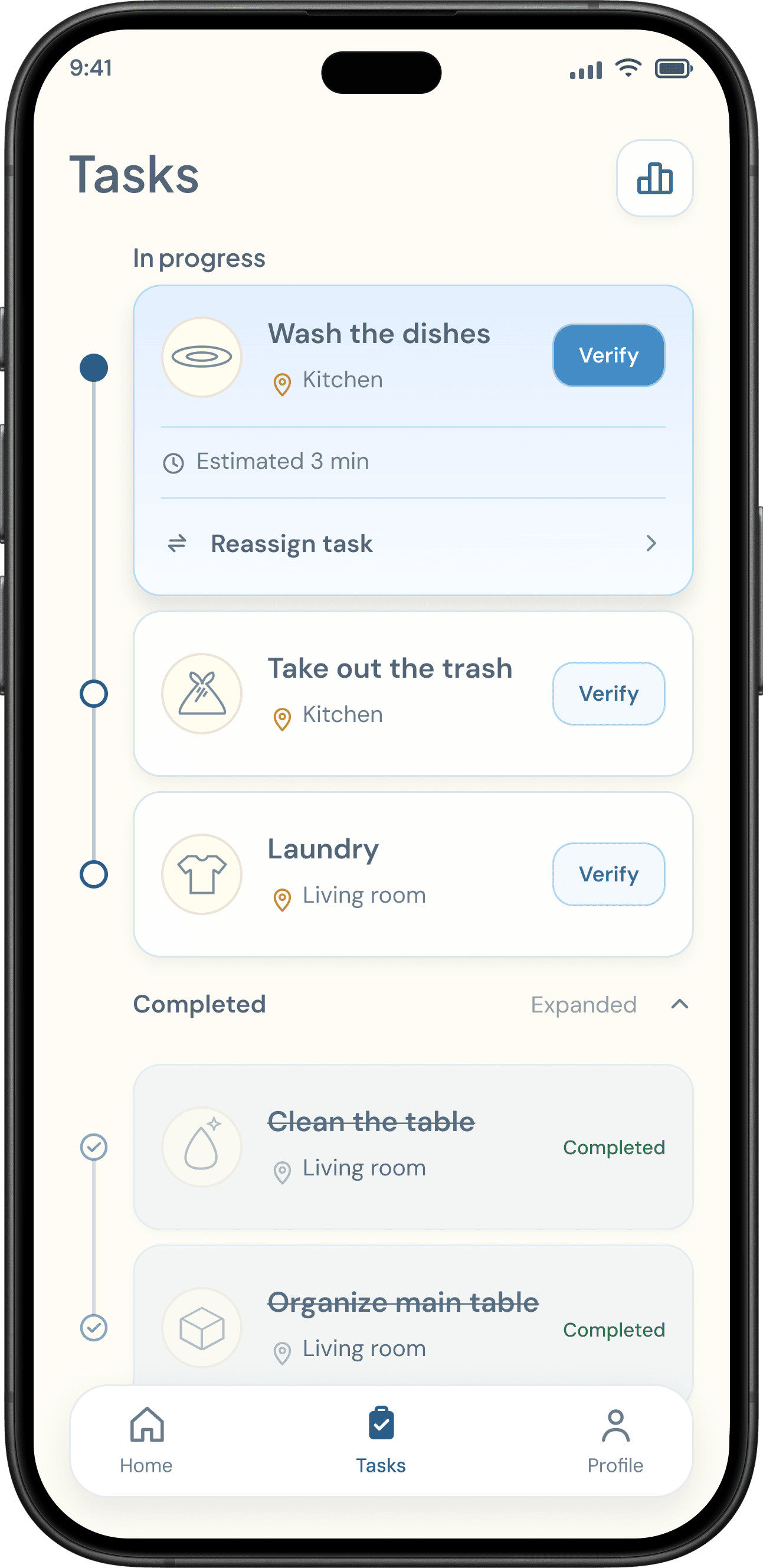
Feedback pointed to unclear task grouping: the list did not make the different states easy enough to distinguish.
Separate in-progress and completed work, while giving the current task priority.
Testers generally did not want household chores to feel adversarial or competitive.
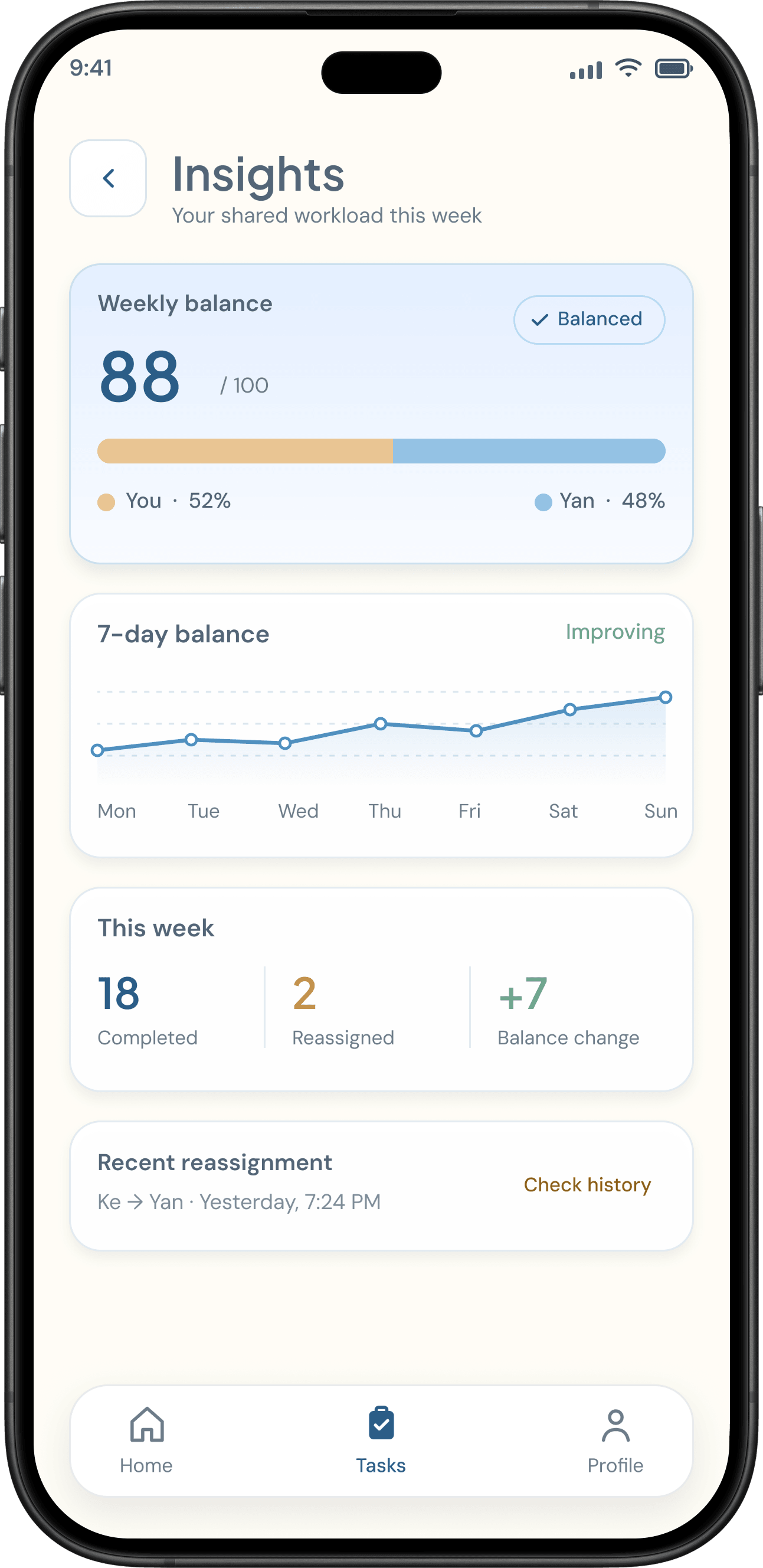
Remove competitive scoring and frame contribution as a shared conversation, not a ranking.
THE SOLUTION
Three recordings from the working web prototype. Hover or focus to watch · Tap on mobile
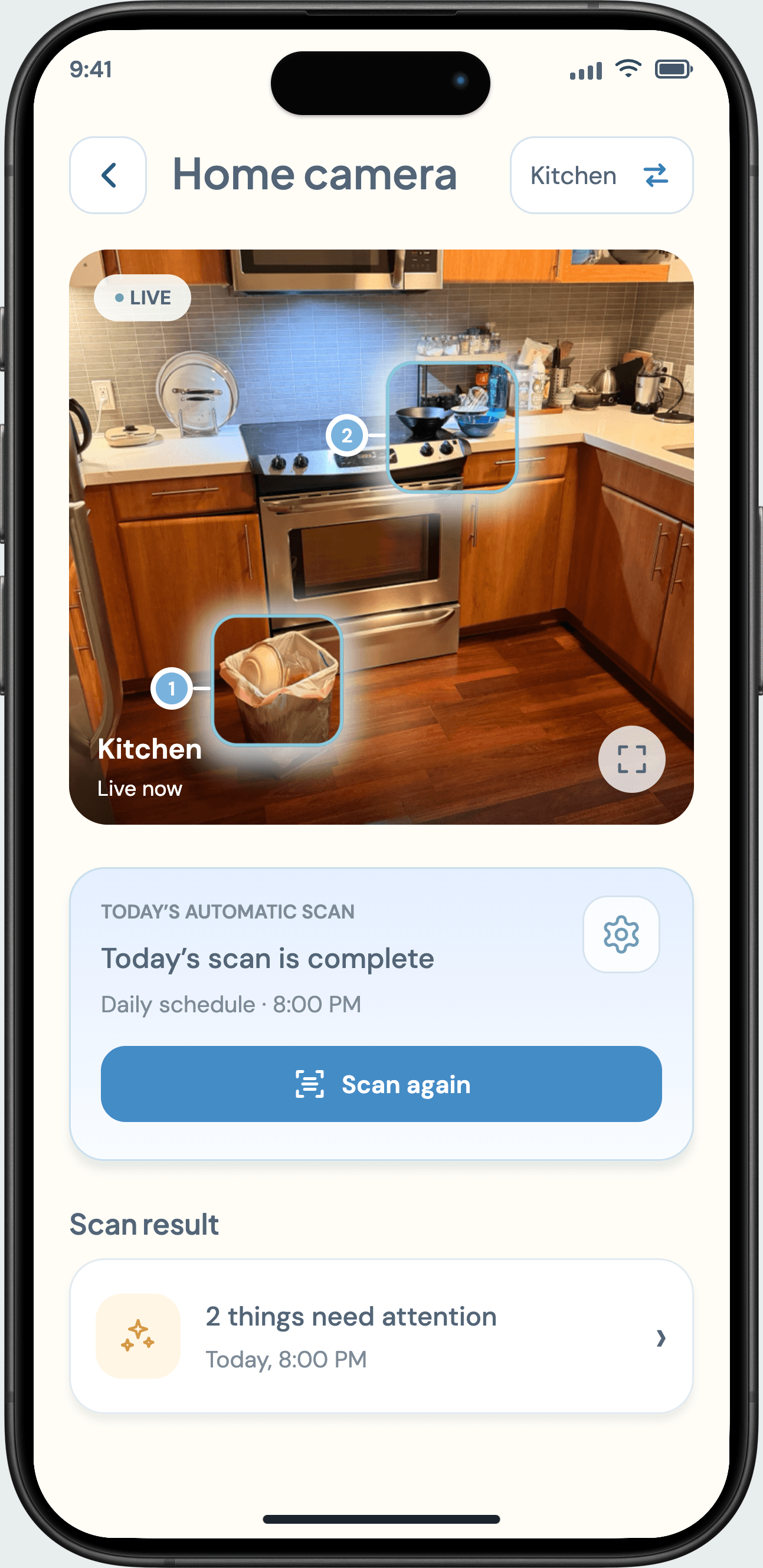
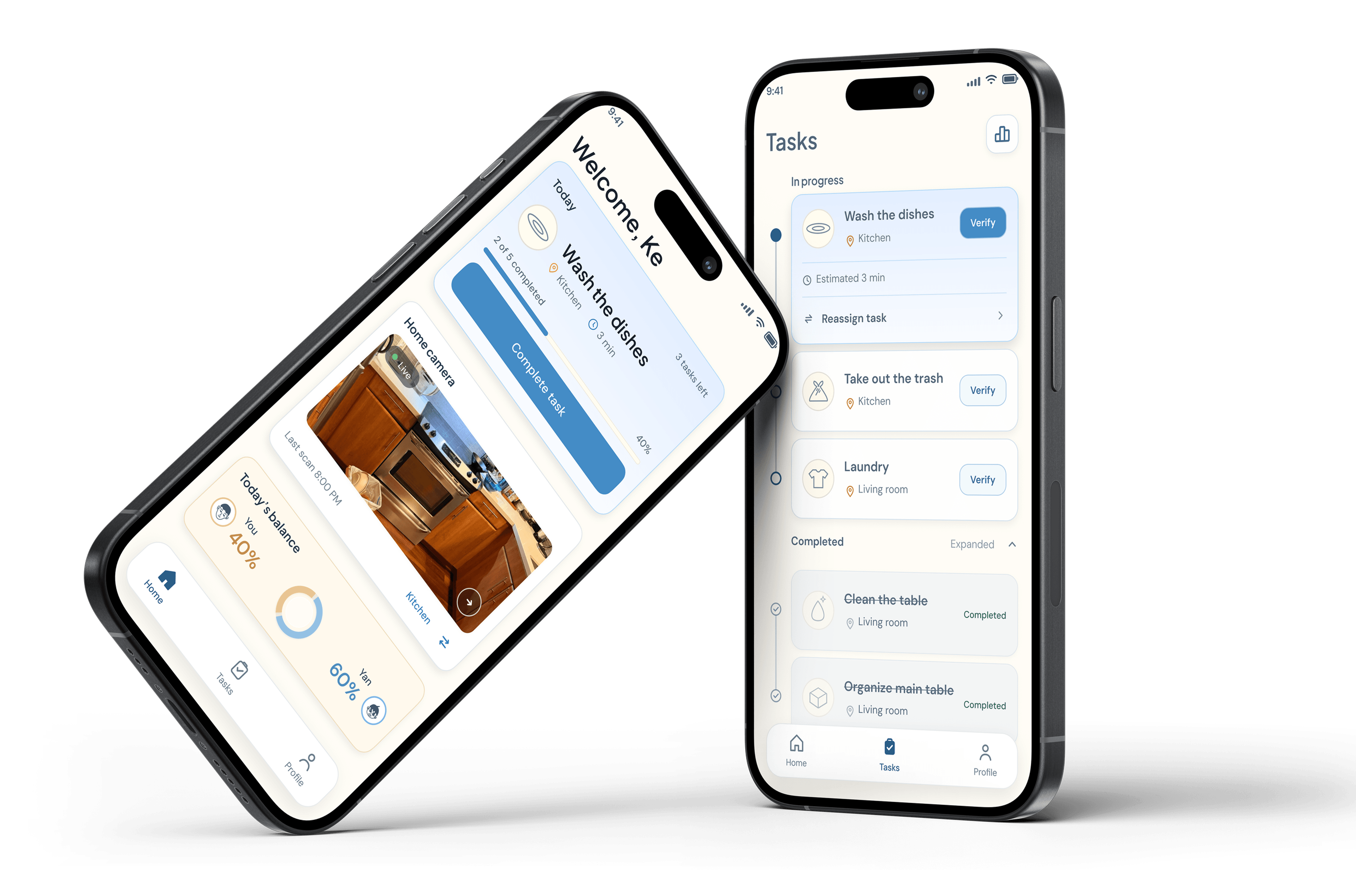
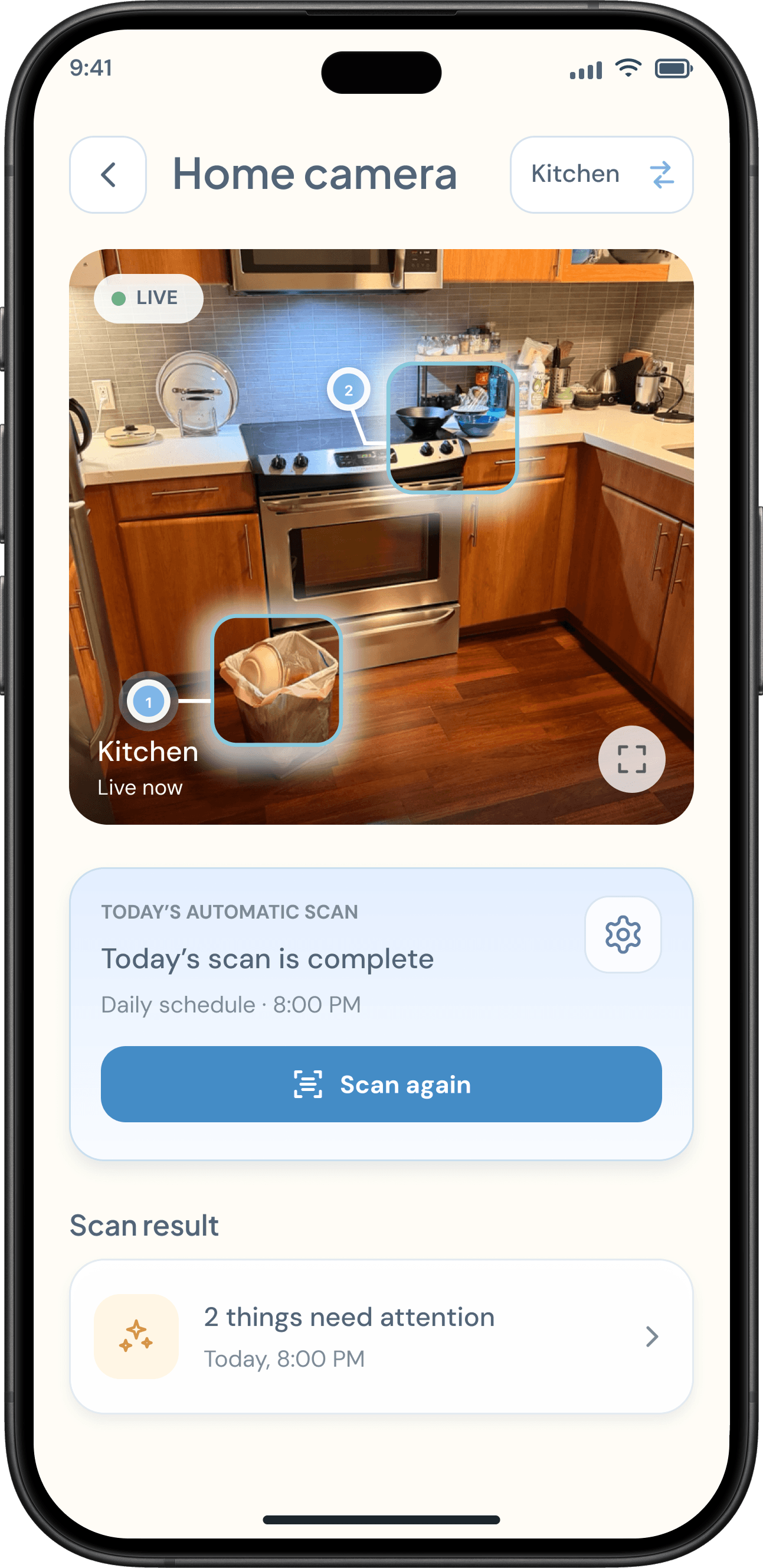
The camera flow surfaces possible household tasks. This recording shows detection and the transition into suggested work.
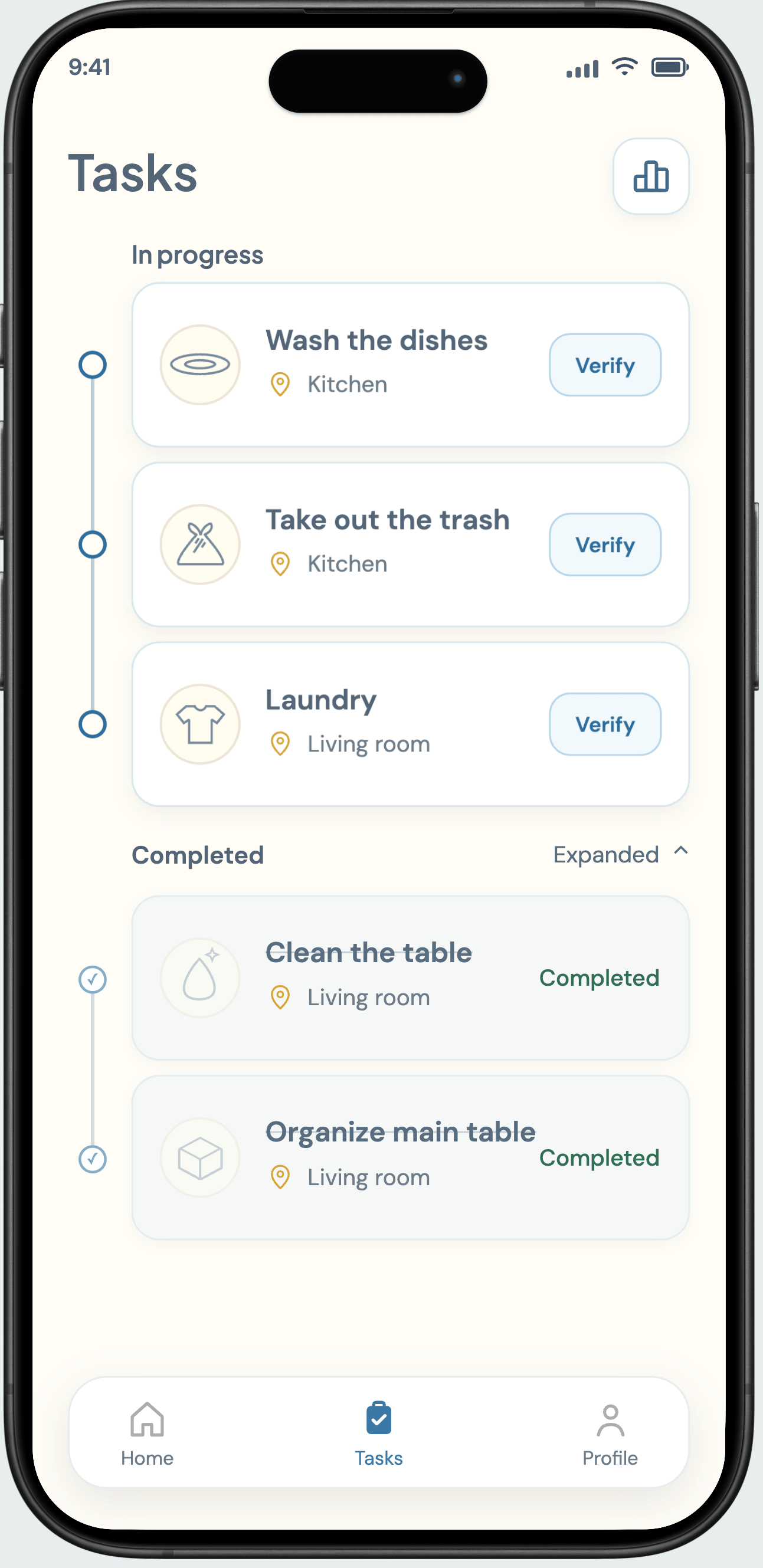
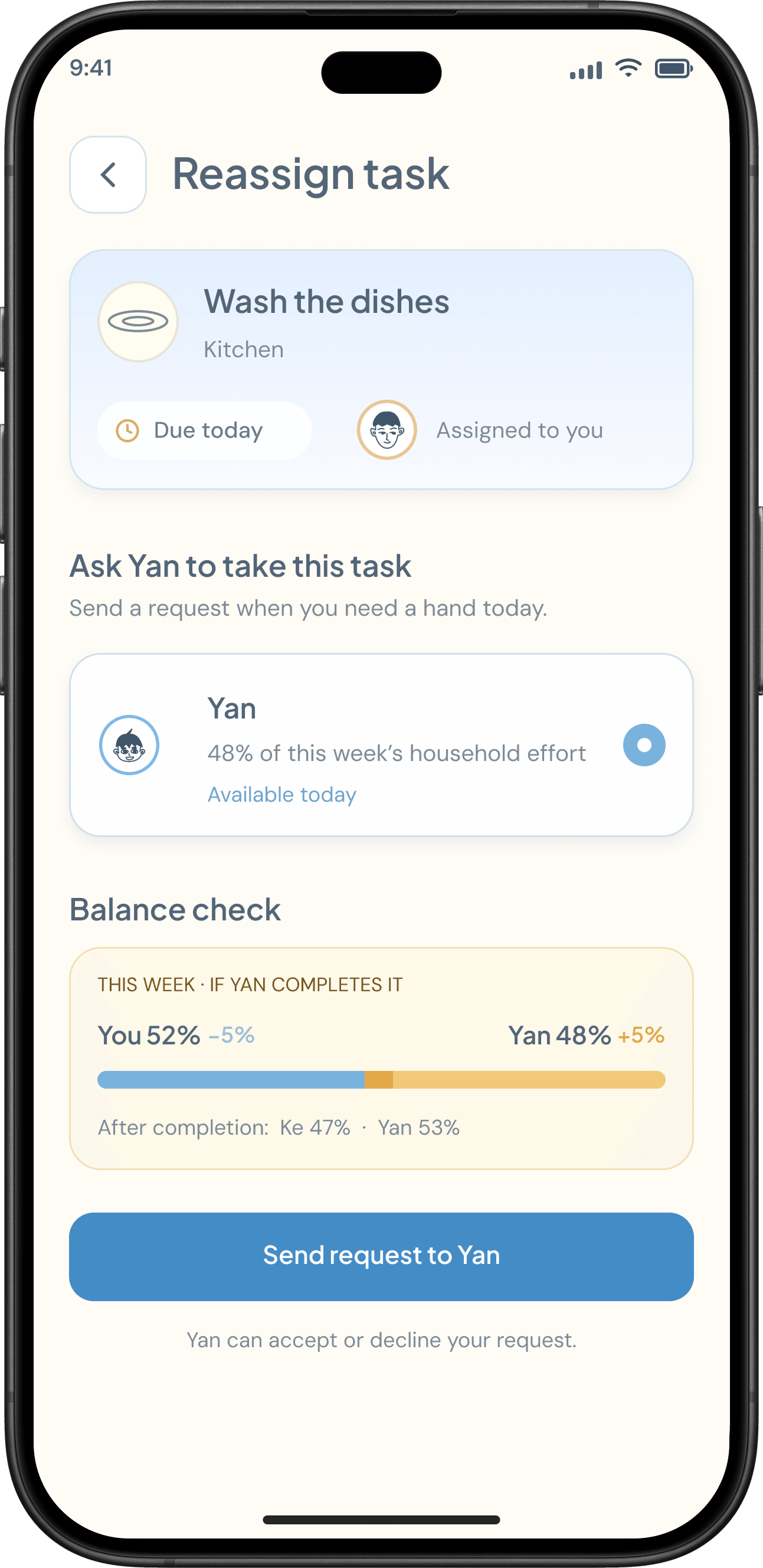
Assigned tasks lead into verification. When plans change, a handoff request makes the change in responsibility explicit.
The contribution view uses task count and difficulty to show a household’s recorded work—not to declare who is fair.
Scroll sideways to follow the flow. Keyboard: focus the diagram and use the arrow keys →
Complete and verify today’s assigned tasks.
Responsibility changes only after acceptance.
Proposed next step: a fallback when verification is unavailable. Manual confirmation has not been established as a current capability.
Reassigned is not Completed. Pending and declined requests keep responsibility with the sender. Only an accepted request transfers the task.
KEY ITERATIONS
Two decisions changed the emphasis of Home and Tasks. Compare the earlier and revised interfaces below.
Feedback Home did not make the next action clear enough.
Change I moved Today’s Task into the primary position and made Verify explicit. Separating in-progress and completed work supports the same hierarchy.
Feedback Testers did not want chores to become a contest.
Change I removed competitive scoring and shifted the emphasis to shared contribution. The intent is recognition and coordination, not a winner.
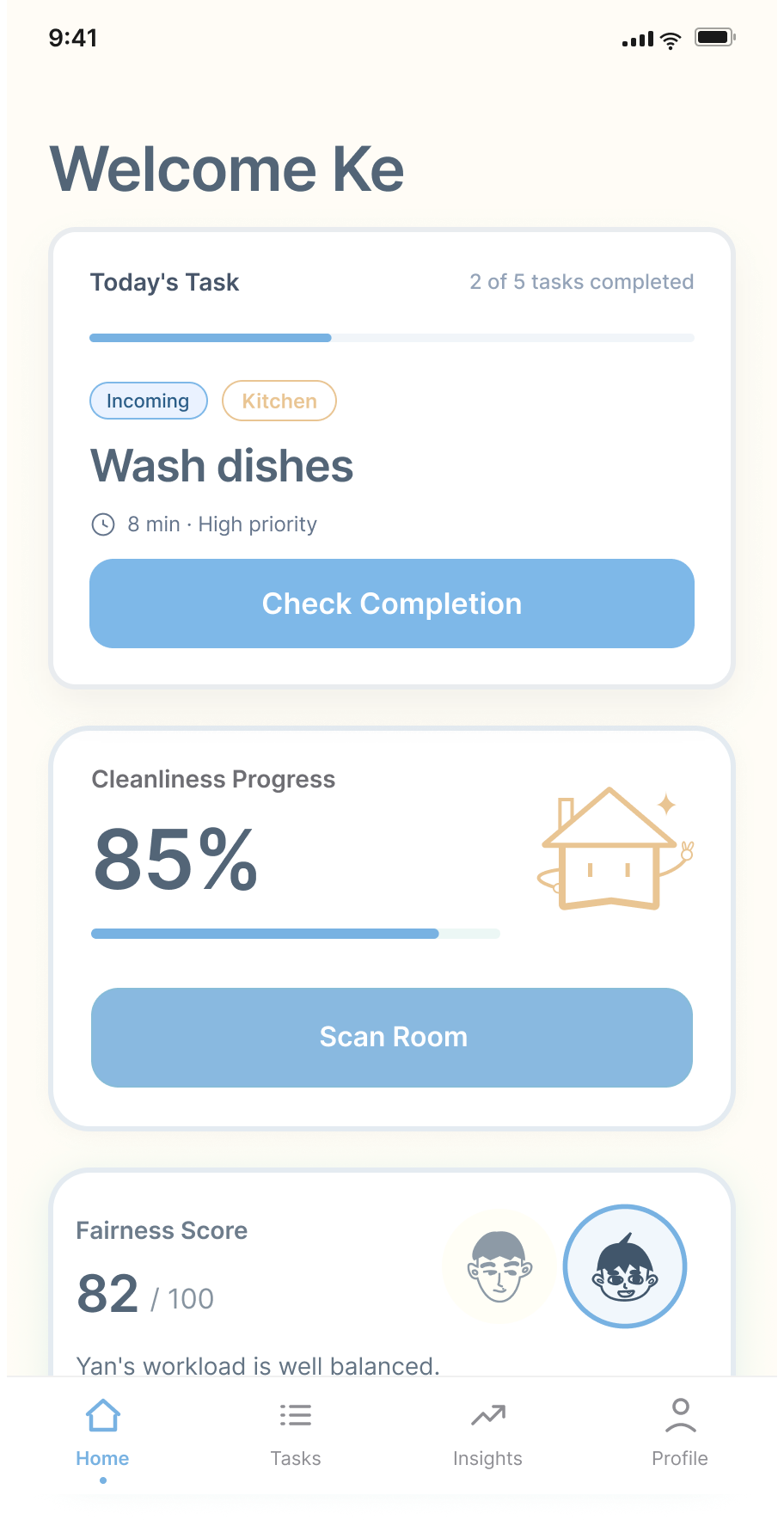
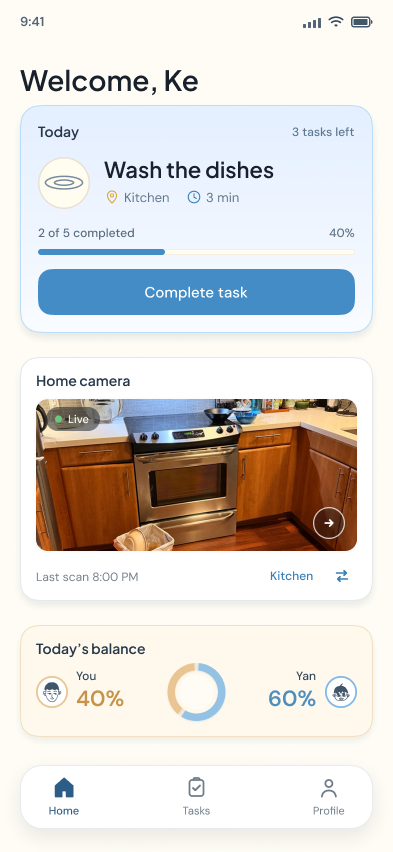
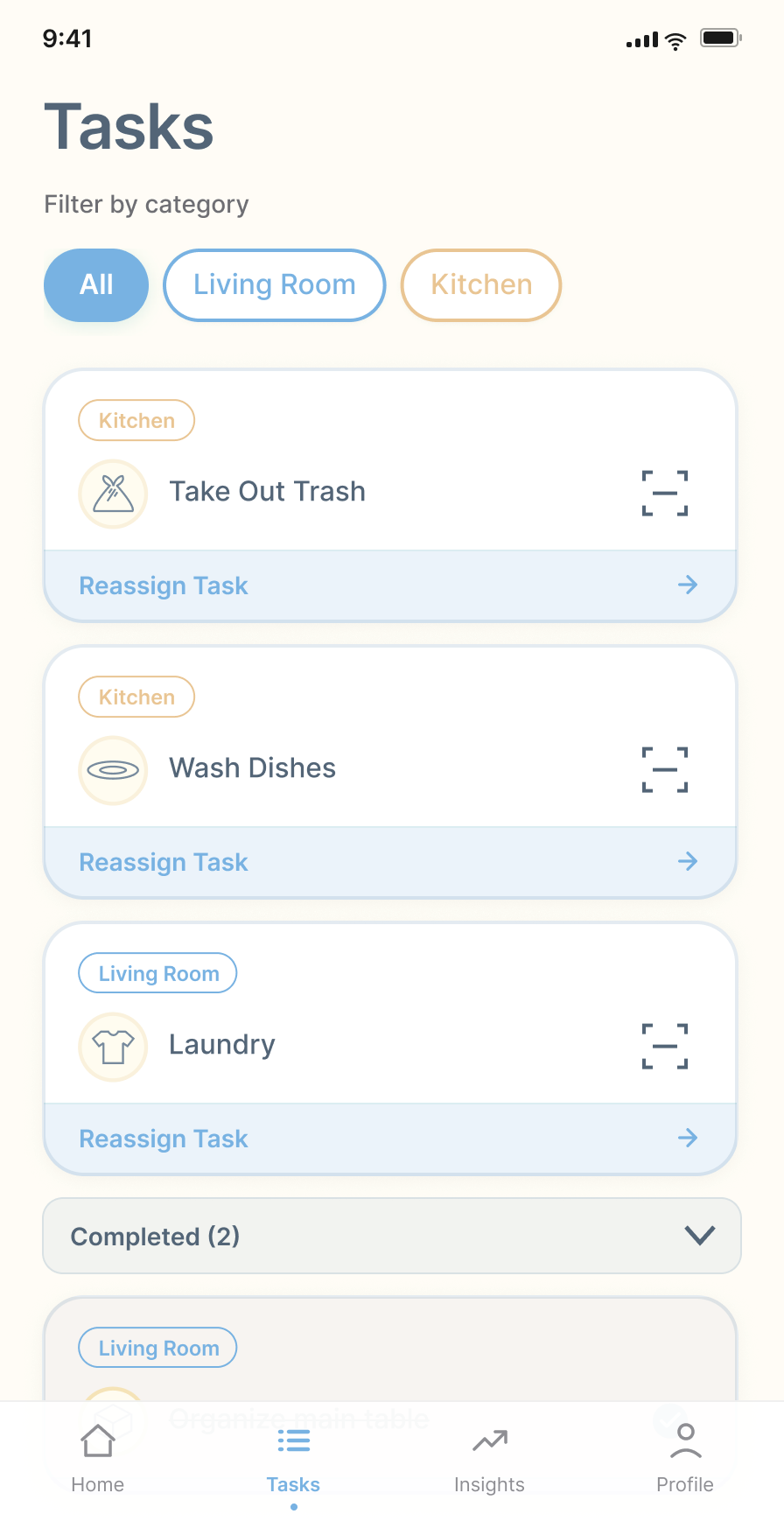
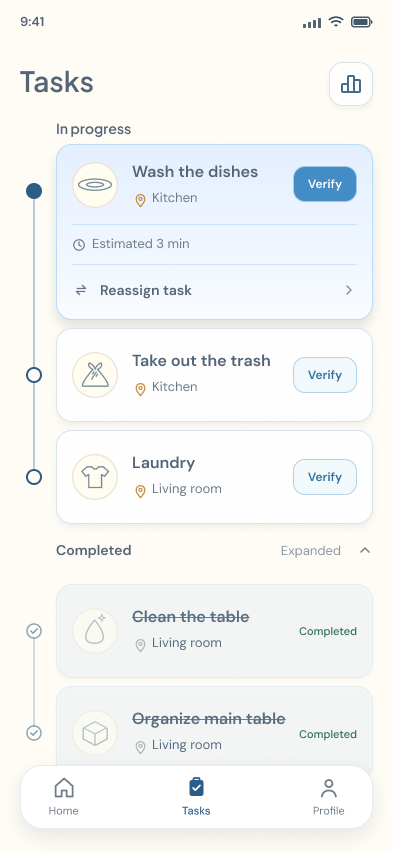
Home & Tasks · Select a screen to view full size ↗
Validation in progress. The revised hierarchy is being tested; follow-up findings are not available yet. Whether the new contribution framing supports cooperation also remains to be evaluated.
CURRENT UI
Six screens from the current design: daily priorities, verification, handoff and contribution. Each is part of the prototype still under evaluation.
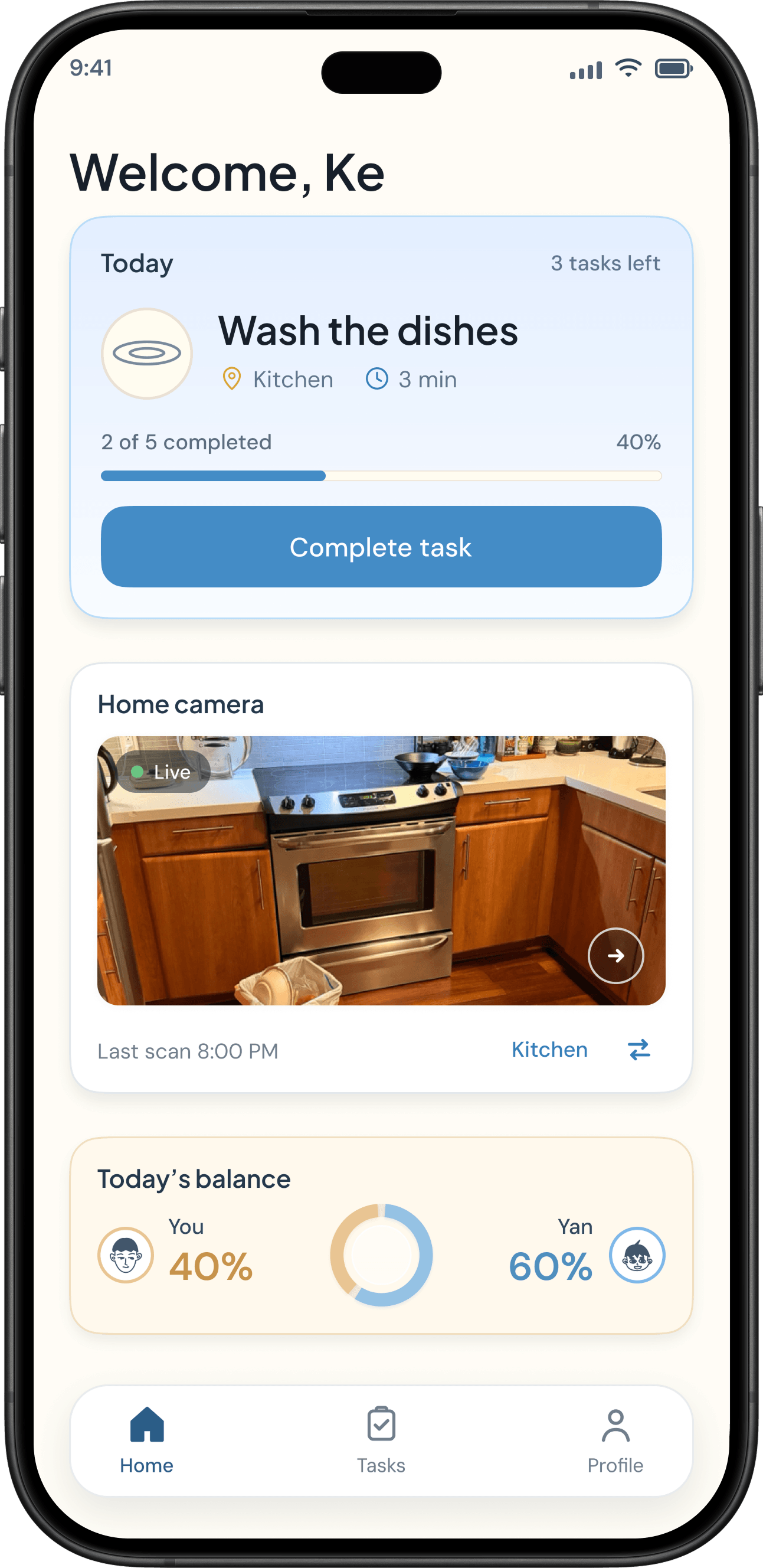
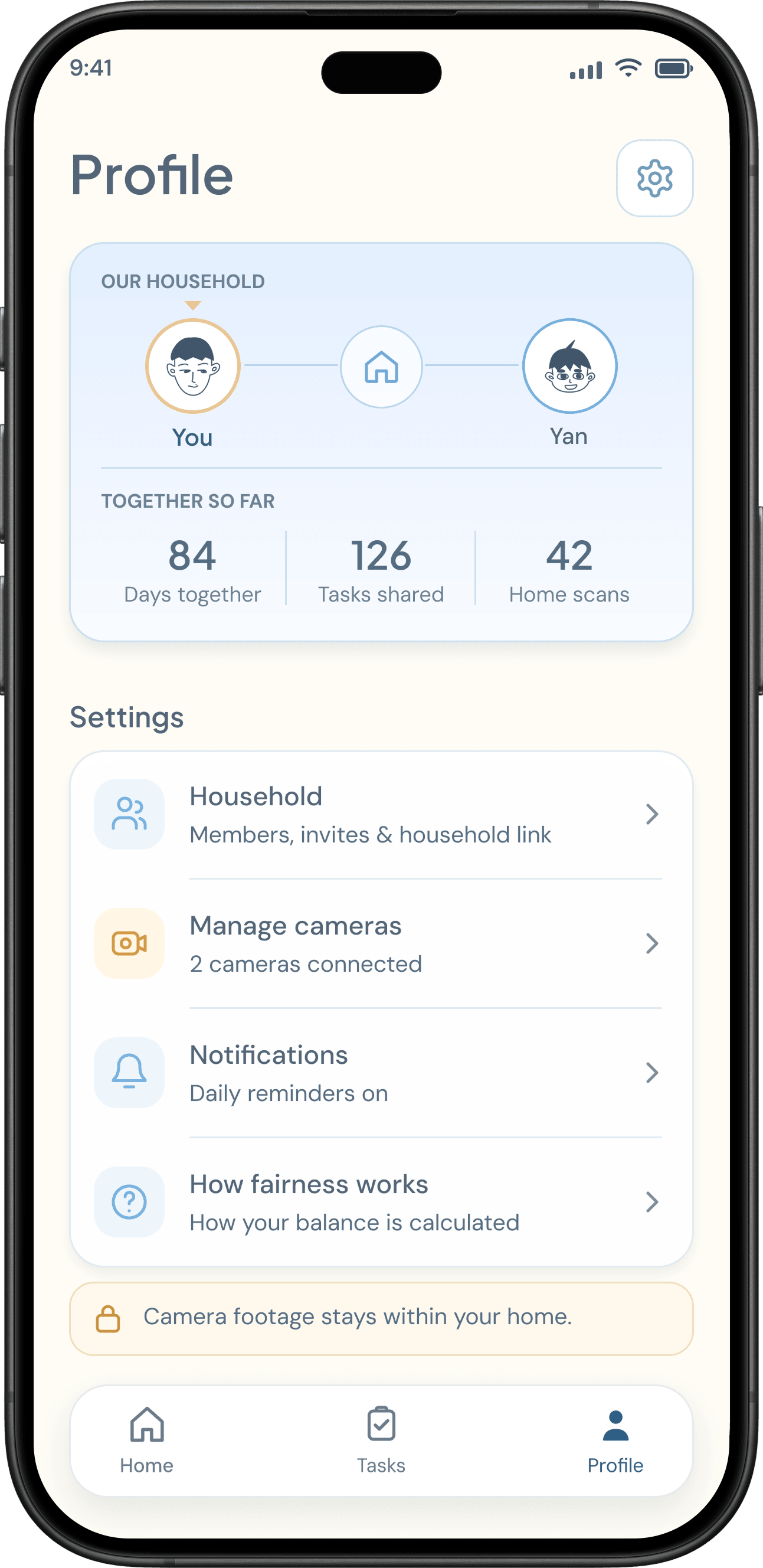
Click or tap inside the phone to try Fairnest. Complete a task, explore the camera flow, or request a handoff.
Interactive demo · Sample dataOriginal prototype studies, retained for design context. Hover to preview, or use each Play button. Reduced-motion preferences disable hover playback.
Earlier exploration of noticing possible household work.
Earlier task allocation interaction.
Earlier exploration of completion and reassignment.
Earlier contribution-view interaction.
REFLECTION & NEXT STEPS
Fairnest began with making household work visible. The design process brought me back to a more important question: how can a daily-use app ask less of the people using it?
Scanning, allocation, verification and contribution functionality are running in the web prototype. The recordings show these interactions; they do not independently establish AI accuracy or production readiness.
Today’s Task now leads Home and competitive scoring has been removed. Early testing helped me put everyday coordination ahead of adding more features.
Task count and difficulty are proxies. They do not capture all invisible planning or establish objective fairness. How households can challenge contribution records still needs exploration.
Observe whether couples and roommates can find today’s next action, distinguish task states and understand when a handoff has actually been accepted.
Work through camera privacy, misidentification, disputed assignments and difficulty corrections. These controls are future design work, not finished safeguards.
Use ongoing testing to refine daily use before pursuing an App Store release. No completed study outcomes or production-readiness claims are available yet.